A proactiveAI agent teamthat finds the work.
AI agents built for cross-border e-commerce sellers.Support, creators, Reddit, ads, site building and B2B, organised by role. They check in every day, draft and follow up on their own; only what needs your call lands in your inbox.
Other versions · Browser extension
If macOS can’t verify the developer: System Settings → Privacy & Security → Open Anyway
If Windows blocks it the first time, click “More info → Run anyway”
- Mac & Windows
- Connect your platforms in one click
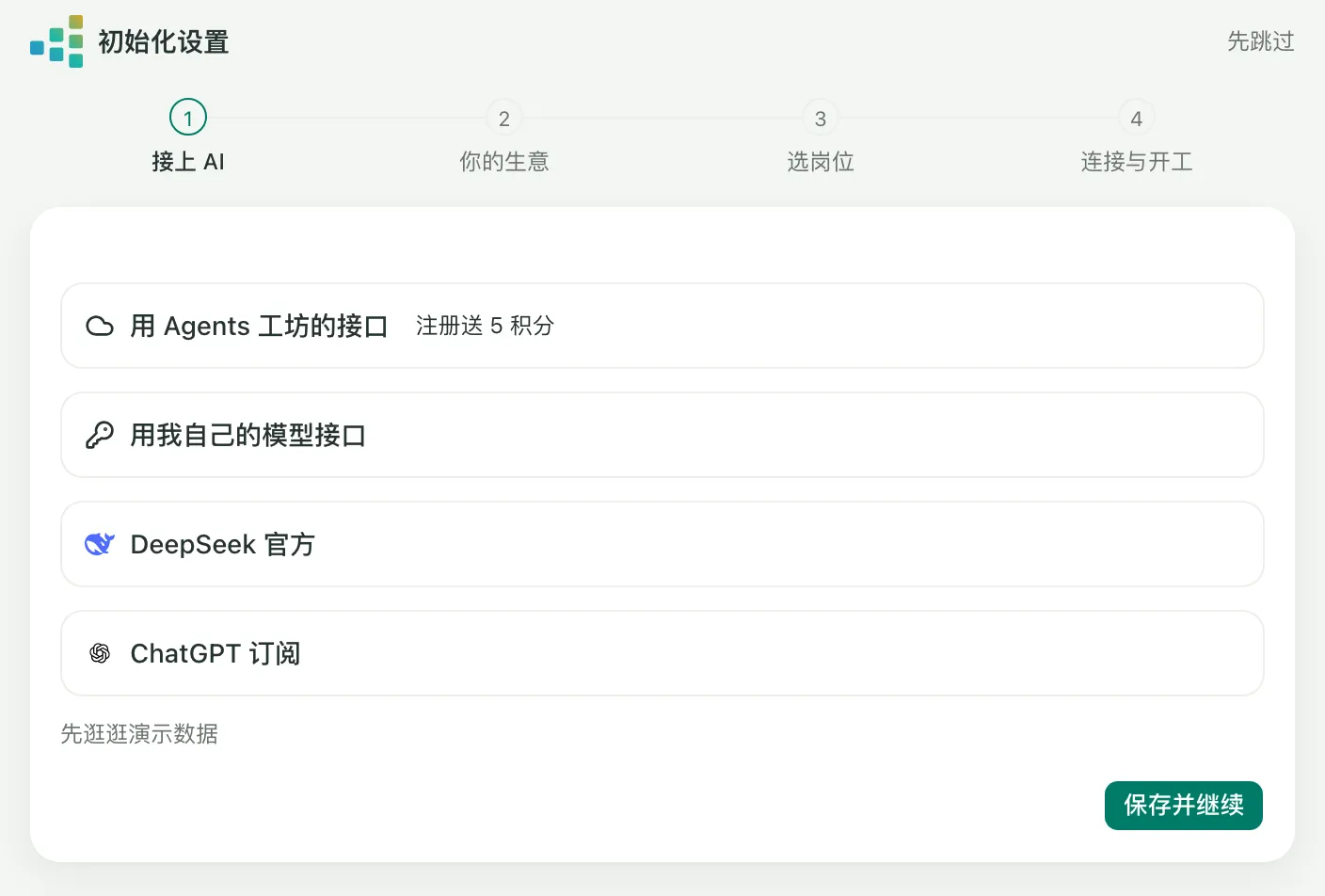
- Sign in with your DeepSeek account or ChatGPT plan
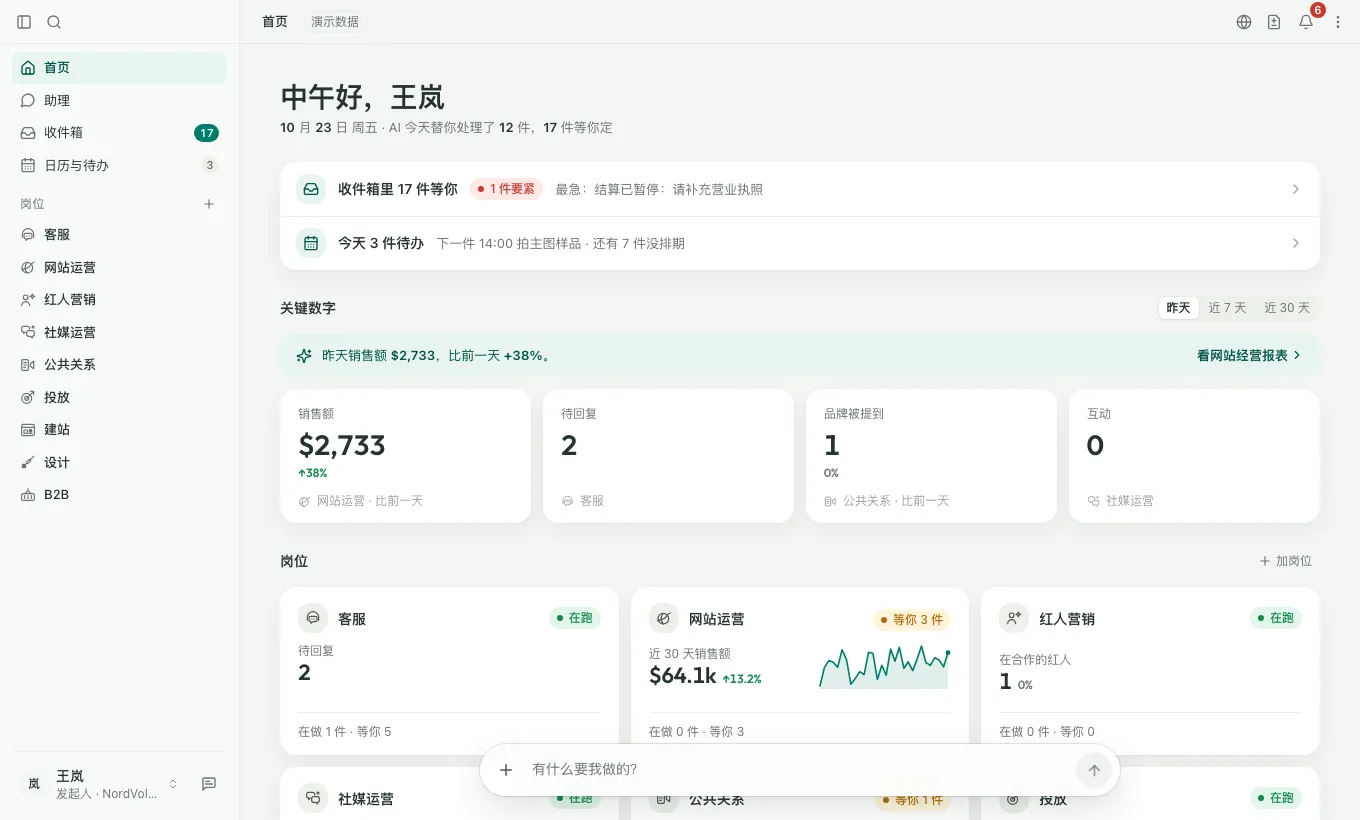
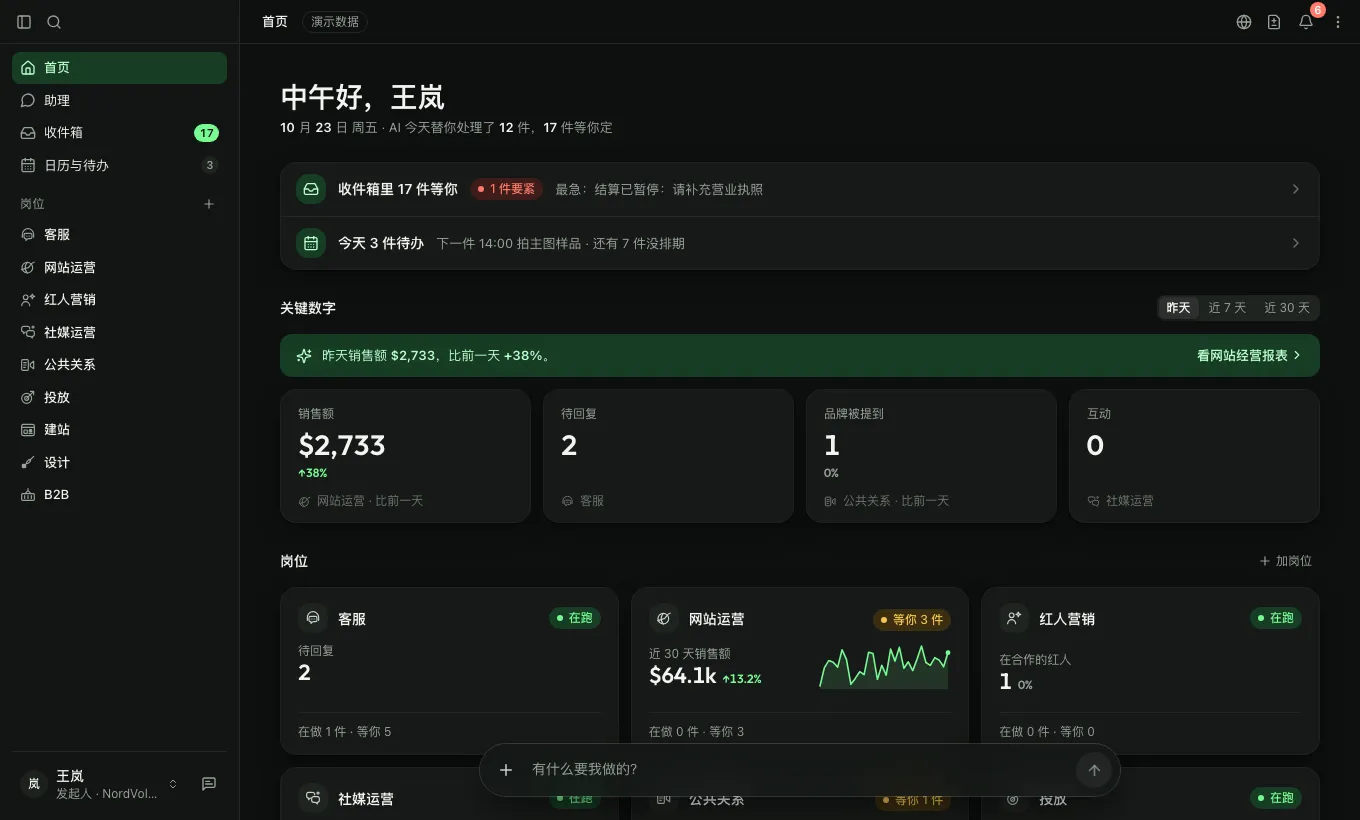
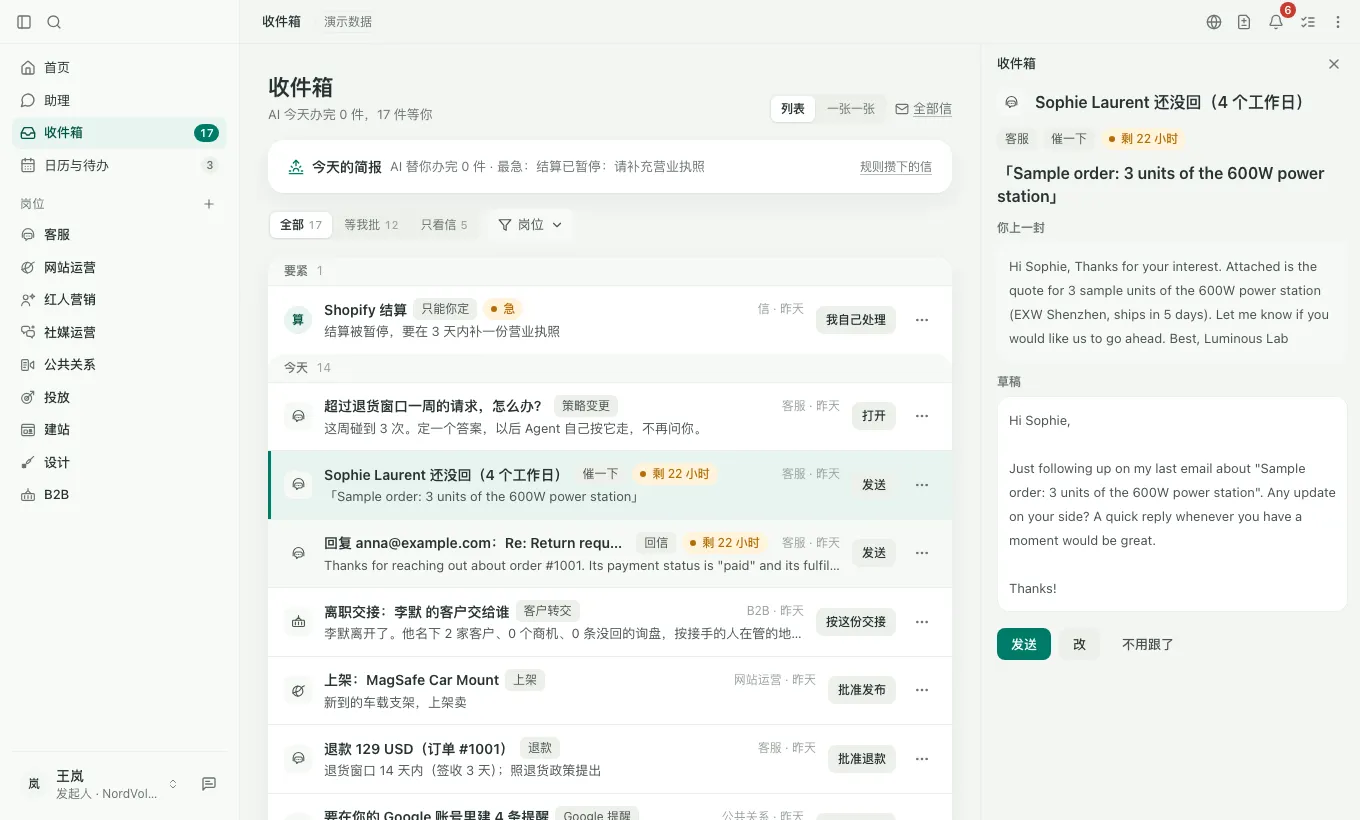
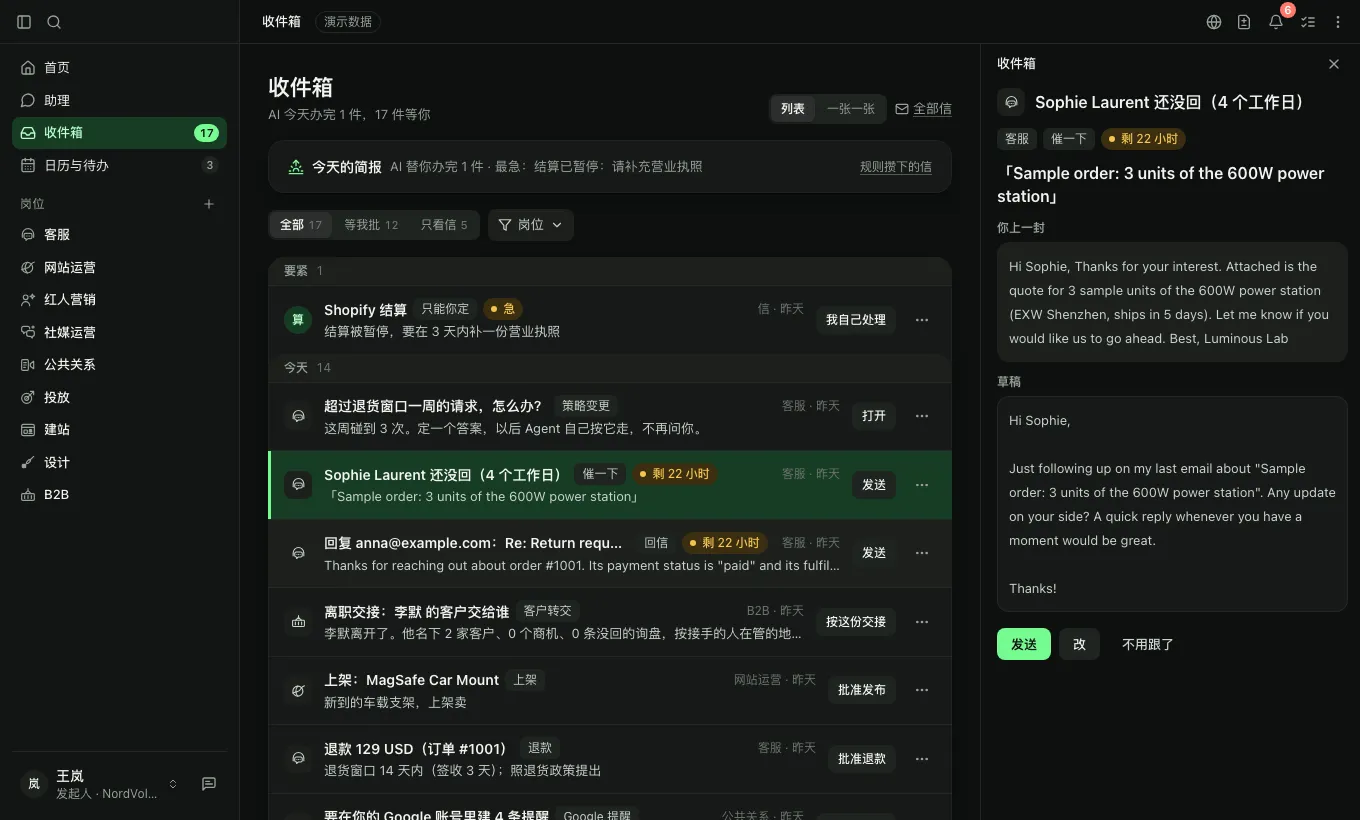
Everything that needs you, in one inbox.
Open the Workshop, go through the inbox, then today’s to-dos. The roles work in the background and only call you when it matters.
Short on people? Add a role.
Pick the roles you need. Each one owns its lane and keeps its own memory.
Customer Care
Email, site chat, Amazon messages — drafted for you to send
Creator Marketing
Find and score creators, pitch, follow through
Social MediaNew
Plan posts, reply; checks your Reddit inbox and subreddits daily
Web OperationsNew
Products, promos, email; a weekly SEO & GEO health check, and how AI answers about your category
Amazon OperationsNew
Shows up only if you sell on Amazon: listing check-ups, keyword gaps, competitor ASIN watch
Paid Ads
Google and Meta: watch spend, write new copy, preview every change
Site Building
Builds pages and switches themes on Shopify — shows you first
B2B
Grade inquiries, quote within your limits, follow orders through
Public Relations
Press releases, forum presence, mentions and early warnings
Design
On-brand images for your site, Amazon, social and ads
Need something else? Create your own role.See what each role does →
Tell it in a few sentences. It sets itself up.
No admin panels to learn, no workflows to draw. Click a line for details.
Connect & set up
Connect your platforms in one clickUses your browser logins; no developer apps
Shopify, Amazon, Google / Meta Ads, Reddit…: through the accounts already signed in to in your browser, or one click to authorize. No terminal, no developer keys. Read the guide →
Fills gaps on the spotMissing a connection or setting? A card pops up in the chat
Fill it in on the card and the work carries on. No hunting through settings.
Say it, and it’s set upA weekly report, logging to your own spreadsheet
Tell it what you want and it configures itself. No waiting for us to ship a feature.
Email & replies
Inbox rules in one sentenceTried on the last 30 days of mail first
Say “tag payout notices, log them to the sheet, don’t bother me”. You see the trial run and the rule only goes live when you click Create. Read the guide →
It remembers who hasn’t repliedNo reply in 3 working days? A follow-up card
The nudge is already drafted. If they named a date, it waits until then. Once they reply, the card disappears.
Reddit replies filled in by the extensionYou press send
Drafts go to the browser extension. Click Fill and it fills the reply into the thread you already have open. Replies you post yourself are logged too. Read the guide →
Schedule
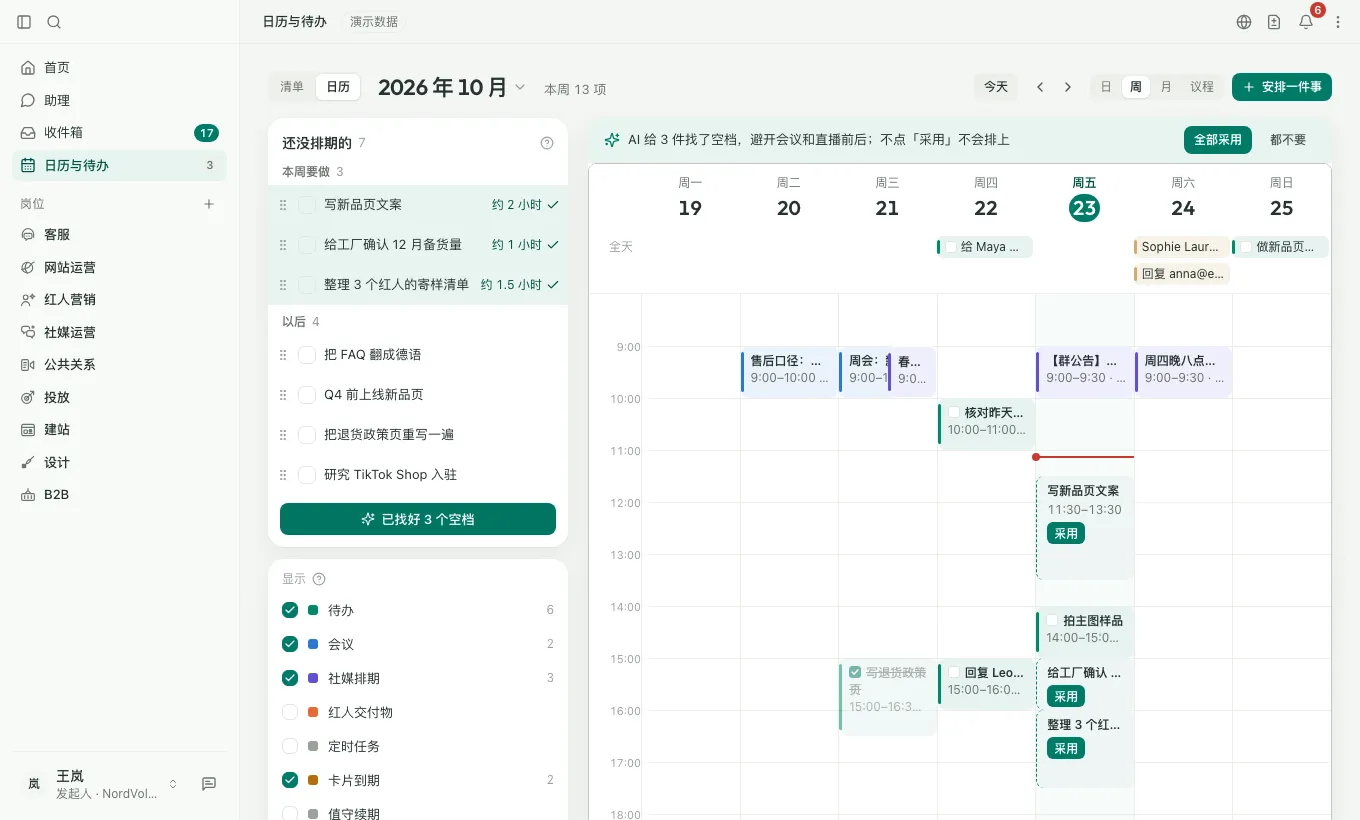
AI finds free slotsAround your hours; nothing moves until you accept
Set your working hours, weekends, buffers around live streams and lunch once. Unfinished to-dos from last week roll into this week.
Shows up on scheduleDaily checks, weekly reports
Right on time. The weekly report lands Monday afternoon by default; tell it if you want another time.
Data & search
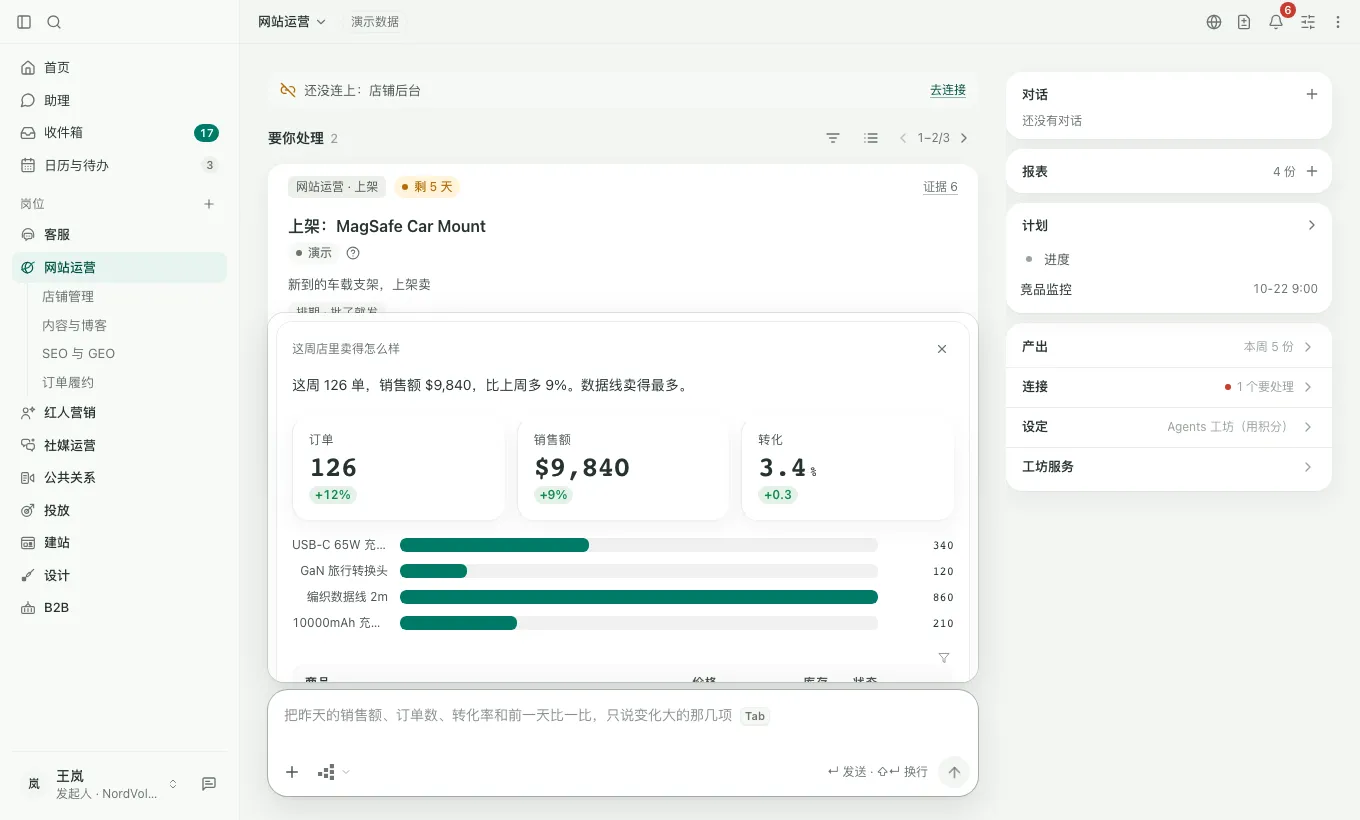
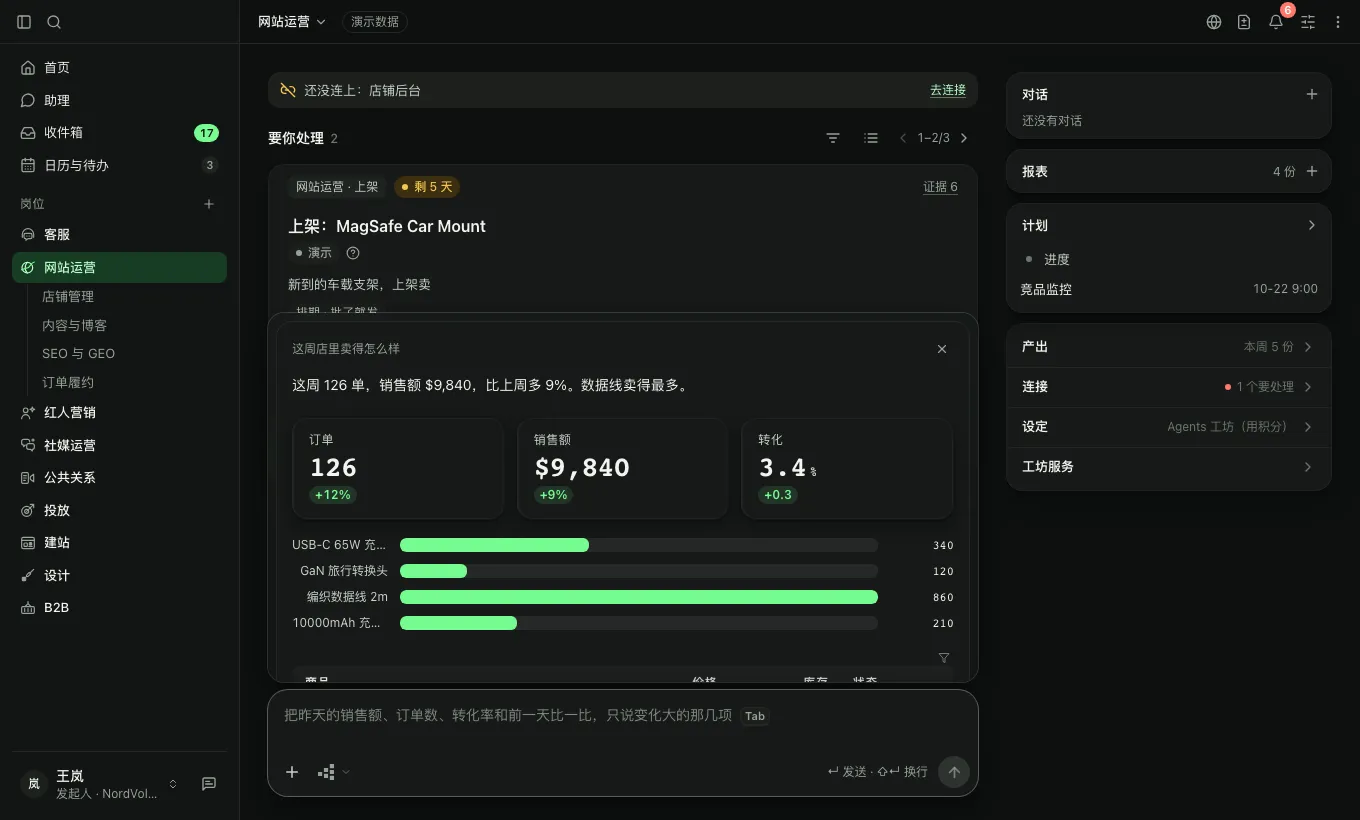
Answers come as chartsStat cards, charts and tables
Reports open with three lines of conclusions, then the numbers and a trend chart. Numbers it can’t read are marked with the missing connection.
Weekly SEO & GEO health checkEvery Monday
Indexing, canonicals, redirects and broken links, sitemaps, hreflang, structured data and speed. Fixes go straight to the Site Building role. Read the guide →
What AI says about your categoryDo ChatGPT and Perplexity mention you?
Wrong names, prices and selling points go on a list. After a fix it re-checks on a set date and compares before and after. Read the guide →
Peace of mind
Alerts in the bellUrgent ones in red, at the top
One click takes you to the role or task it’s about.
Feedback, bottom leftAttach a screenshot; replies arrive in the bell
Works without signing in. Diagnostics are scrubbed first, and you see them before they’re sent.
Everything on recordWho approved what, and what changed
Every message sent is logged on your computer. Read the guide →
AI proposes. You decide. Always.
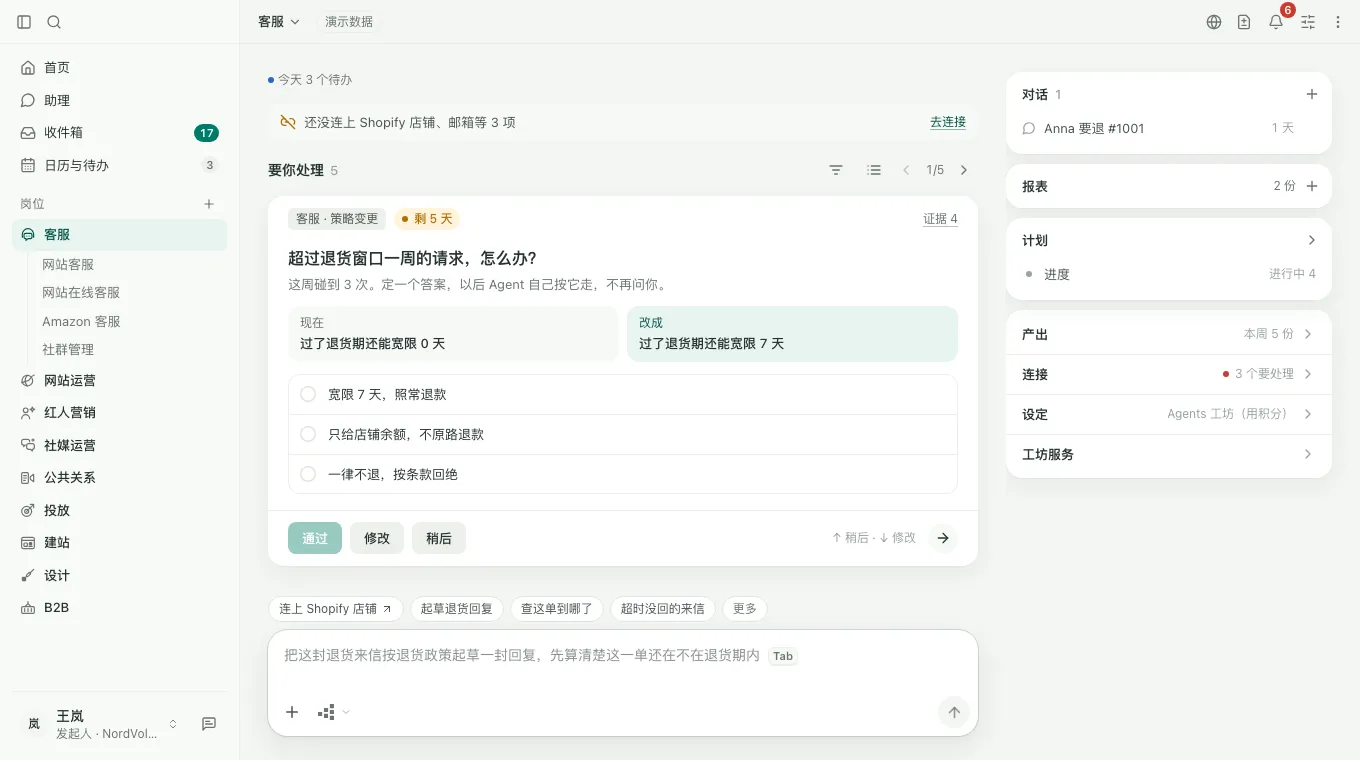
Anything that goes out, costs money or changes something becomes a card first.
Hand it a task
One sentence, to one role
The role does the work
Checks orders, policies, drafts
A card lands in your inbox
With reasons and sources
You decide
Send, edit, or drop
It's done — and logged
Who approved what, all on record
Reply to Anna: return request #1001
Reply: can I take this power bank on a plane?
Replace the 3 lowest-CTR headlines
Refunds, reships, price changes and publishing are always human-approved. No approval rate unlocks autopilot.
Sign in with your DeepSeek account or ChatGPT plan.
Already paying for one? Use it. No second subscription.
- DeepSeek accountSign in with your own DeepSeek account; usage comes out of its balance
- ChatGPT planUse the ChatGPT subscription you already pay for
- Your own API keyDeepSeek, OpenAI, Anthropic, Google, Bailian…: direct, never through us
- Workshop creditsSame price as DeepSeek’s official rates, no sign-ups elsewhere
The software is free; credits are pay as you go
The software is complete and free, with no paywall. 1 credit = ¥1, 5 free credits when you sign up, and purchased credits never expire. The team channel for colleagues on other networks is billed monthly by headcount; connecting on the same computer or local network is free. Full pricing →
Overseas content: found, and opened.
A lot of overseas sites can’t be reached through DeepSeek’s built-in search, including many of the ones that matter most to brands selling abroad. So the Workshop has its own: search runs through our own data service and returns Google / Bing results from overseas; pages that need a login or a click are opened in a browser.
Our own browser extensionReddit posting and creator research, with your own logins
Agents Workshop Assistant is our own Chrome extension. It fills Reddit replies into the thread you have open, and you press send; creator profiles go into your list in one click. Read the guide →
Tencent’s open-source BrowserSkillAutomation in the Chrome or Edge you use every day
The AI works in a separate window and can see the sites you’re signed in to; it asks before touching tabs you already have open. A small local helper installs in one click, pinned to a fixed version and checksum. Read the guide →
Tuned for ego liteA browser built for AI automation
If you have ego lite installed, pick it as the AI’s browser in Settings; every step it runs shows up in the run log. Read the guide →
Your business stays
on your computer.
Customers, orders and playbooks live on your machine. Nothing goes to the cloud unless you turn it on.
Double-click to install
Mac and Windows. No Docker, no command line.
Your keys stay yours
Never seen by the AI, never logged.
Cloud is opt-in
Only what’s needed; anonymous usage stats can be turned off.
Model down? Everything stops
No half-baked sends when the AI can’t be reached.
For one person, a team, or the whole company
- Solo · default
Just you, several brands
Install and go; every role is yours. Nothing goes out until you approve it.
- Team
Colleagues, side by side
Everyone runs their own roles and nobody signs off on anybody. Hand work to a colleague; it’s theirs once they accept. Your assistant answers colleagues and books time for you. Colleagues on another network connect through the team channel, billed by headcount.
- Whole company
The owner turns it on
One balance, a monthly cap and store access for each member; what matters goes up the chain for approval.
Start on your own and move up when you need to. Your data comes along; nothing to reinstall.
What others put behind a paywall is free here
No per-seat pricing for your own use. No per-connection pricing. No enterprise tier.
| What you need | Common pricing elsewhere | Agents Workshop |
|---|---|---|
| Support AI | Per seat, per month | Free, with your own key |
| Connect store, email, social | Per connection | Free, your own accounts |
| Browser extension (creators, Reddit, ads) | Per record, per call | Free |
| Approvals, permissioned knowledge base | Enterprise tier only | Free |
| Multiple stores and brands | Paid upgrade | Free |
"Elsewhere" describes common pricing models, not any specific company. Check each vendor’s official pricing. The team channel for colleagues on other networks runs through our servers and is billed monthly by headcount; same computer or local network is free.
What do the anonymous usage stats include?
Which features were used and which buttons were clicked, with nothing about your store, customers or orders. On by default during the beta; one switch in Settings → Data & privacy turns them off.
From tools people use
to a team that works for your company.
We climbed every one of these steps ourselves.
- 01
A dashboard you vibe-coded
Looks great, gathers dust in two weeks. The data sits there; people still do the work.
- 02
Tools built for people
Looking up creators gets faster, but you are still clicking row by row.
- 03
Agents built around AI
KOLAgents and KefuAgents take one job from start to finish, for one person's lane.
- 04
Agents Workshop
Company level: a team of agents splits the work and hands it off by your rules; what matters lands on one card for you to approve.
Built from the ground up:
it doesn’t just chat, it does the work.
Most AI only keeps you company in a chat box. The Workshop is wired in from the Harness up: it checks orders, answers email, posts and edits ads, and asks you first when it matters.
- Care
- Creators
- Social
- Web ops
- Ads
- B2B
- …
Anything that goes out or costs money becomes a card for you, and is logged.
Every role and duty keeps its own.
Who can touch what follows the role.
Official tools plus our connectors; each duty only gets what it declares.
Each role runs its own duties; if the model goes down, the whole line stops.
The official base. We extend it the official way and leave its core alone.
Upstream ships we adopt 5
- Official scenesSwitch to DeepSeek Harness official scenes in one click.
- Official web searchRoles look things up with the official search and fetcher.
- Official automationsRecurring work runs on the official automations.
- Tracking 0.2.1 alphaEvery new release is evaluated; we upgrade only when tests and the simulation loop pass.
- Same version as upstreamOur version number follows DeepSeek Harness: upstream is on 0.2.1, so are we.
Complete and free.No paywall. Credits are only for people who want it easy.
Every step, out in the open.
Requests come from the community; every update says what changed.
Position weekly reports, in-app ego hand-off modal and redesigned position settings
Added interactive visual weekly position reports with diagnostic follow-up threads, an in-app hand-off modal when ego needs human help, explicit Reddit DM and Modmail connection status, and third-pane memory editing from position settings.
In-chat task closure, native scheduled-post queue and knowledge-gap fixes
Tasks handed over in chat are clarified in the conversation before a card appears; scheduled Reddit and social posts go into a native queue and publish on time; business duties can answer, reclassify and escalate knowledge gaps; duplicate gap banners and countdown bars are gone.
Cross-duty hand-offs, batch task-table edits and smarter conversation sorting
Duties held by the same person can hand work to each other, task tables support single-row reads and batch updates, memory no longer keeps conflicting clauses, and right-rail conversations sort running-first.
In-chat folder permissions, steadier video posts and progressive tag autonomy
Authorize local media folders inline in chat, wait reliably for Reddit video/image uploads with outcome write-backs, self-heal transient errors safely and track tag-level autonomy in a 3-tier ledger.
Proactive role advisors, 7-day experiment ledger and competitor benchmark
Adds proactive role advisors across all positions with Novice Coaching / Veteran Advisor modes, 7-day experiment ledgers, clickable read-only evidence, strict external report isolation and in-chat one-click decisions.
Modern social DMs, unread doorbell wake-ups and isolated local terminal
Reads and triages Reddit Chat and Modmail DMs across roles, adds browser unread doorbell and forwarding wake-ups, enforces single-active channel locks and enables the workspace-isolated terminal across roles.
Questions
Is it really free? What’s the catch?
The software is complete and free, with no paywall. Credits are for people who want it easy: no accounts to open elsewhere, no keys to paste, at the same price as DeepSeek’s official rates.
Can I use my own DeepSeek or ChatGPT?
Yes. Sign in with your DeepSeek account or ChatGPT plan, or paste your own API key; it connects directly, never through us.
Does my data leave my computer?
By default, everything stays on your computer. Only when you turn on a cloud service, or use credits to call a model, does the content needed for that one request go out. During the beta it also sends anonymous usage stats with no business content; you can turn them off in Settings.
How many places do I need to check each day?
One inbox. Everything any role needs from you waits there; go through it one card at a time. Your own to-dos live in Calendar & to-dos.
Can the AI send or refund on its own?
No. Sending anything out, refunds and price changes all become cards first. Nothing happens until you click.
Who do I ask when something’s wrong?
Click Feedback in the bottom-left corner and attach a screenshot; our reply shows up in the bell. You can also email us.
Start with one small task.
Install it, connect an AI, and hand today’s most annoying email to Support.
If macOS can’t verify the developer: System Settings → Privacy & Security → Open Anyway
If Windows blocks it the first time, click “More info → Run anyway”